What to Do With Travel Photos: How to Organize, Back Up and Actually Enjoy Them
Most trip photos end up buried in a camera roll. A short routine gets them sorted, backed up and somewhere people will actually look at them.
You get home with hundreds of photos. You mean to sort them. Then work starts, the next trip comes around, and the pictures from both end up spread across two phones, a camera card, a group chat and a cloud account you forgot you had.
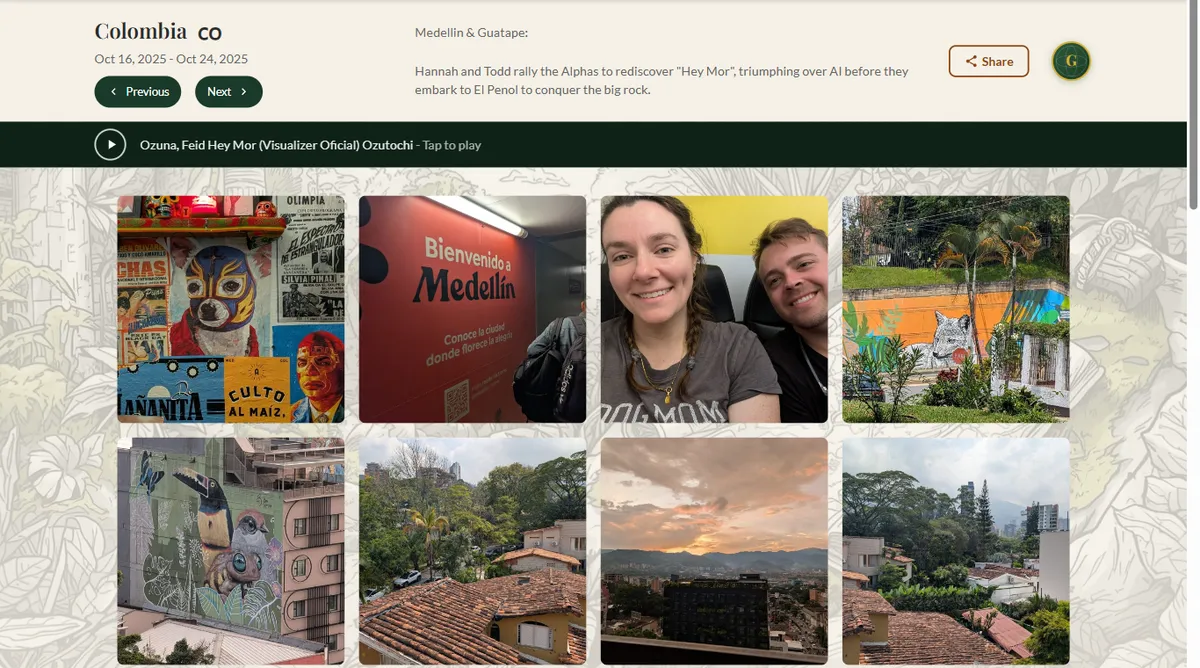
We know the feeling. Our Guatemala trip page has 197 photos on it and Colombia has 143, and getting a trip from a messy camera roll to a page like that goes much faster with a routine. Here's the one we'd suggest, plus a one-time plan for the backlog you've been avoiding.
1. Pull everything into one album
Before you delete or sort anything, gather the whole trip in one place:
- Every phone that came along, not only yours
- Camera, drone and action-cam memory cards
- Whatever friends and family dropped in the group chat
- Screenshots worth keeping: the ticket, the menu, the hand-drawn map from the hostel
A shared album that everyone on the trip can add to is the easiest way. Start it on the last day, while everyone's still in the same place and remembers to add their shots.
2. Cut hard
The single biggest improvement is keeping fewer photos. Ten versions of the same sunset bury the good one. In one pass through the trip:
- Delete the obvious misses: blurry frames, closed eyes, pocket shots, the eight-second video of your feet.
- Keep one from each burst. The best frame, not three nearly identical ones.
- Favorite the ones you'd show someone. For most trips that's a small slice of what you took.
If deleting makes you nervous, do it in two rounds: favorite now, then delete the non-favorites a week later once you've noticed you don't miss them.
3. One album per trip, named the same way
Date, place and person all work for everyday photos. For travel, one album per trip is the system that still makes sense years later. Name them the same way so they sort themselves:
2025-10 Colombia: Medellín and Guatapé
Year and month first keeps them in order. Then write five lines while you still remember: where you stayed, the meal you'd go back for, the thing that went wrong and is funny now. Our Mexico trip note mentions the cancelled flight that made the trip longer than planned. That's the kind of detail you won't remember on your own in five years.
4. Back it up with the 3-2-1 rule
Phones get lost, accounts get closed, drives fail. The 3-2-1 rule is the standard answer: three copies, on two kinds of storage, one of them somewhere else.
| Copy | Where it lives | What it protects against |
|---|---|---|
| 1 | Your phone or computer (the working copy) | Nothing on its own |
| 2 | An external drive you copy to a few times a year | A dead or stolen phone, an account lockout |
| 3 | Cloud backup, or a drive kept at a relative's house | Fire, flood, theft, anything that hits your home |
One catch with phone cloud storage: it syncs, it doesn't archive. Delete a photo on the phone and it usually disappears from the cloud too. That's why the external drive matters, and it costs very little.
For the backlog: don't try to sort ten years at once. Back up everything first, exactly as it is. Then organize one trip at a time, starting with the one you'd be saddest to lose.
5. Get them out of the camera roll
Sorted and safe is half of it. The point is actually looking at them again. The ways that work:
A photo book per trip
Books get picked up off the coffee table in a way phones never do. Use your favorites from step 2, add a few lines from your notes as captions, and keep it short. Twenty to forty strong pages beat a hundred average ones.
One print per trip
Pick the single best photo from each trip and print it. A wall of matching frames looks planned even when the photos come from all over the world. Our guide to displaying travel memories has layout ideas.
A "best of" album for family
Grandparents want to see the trip, not scroll through 600 photos. Make a short album of 30 or so and send them that link.
A trip page, with the song
This is the one we built, so we're biased. Each trip gets its own web page with the photos and a few lines about it, and each page can have a song. Here's our Colombia trip on a phone: the gallery, and "Hey Mor" playing at the top.
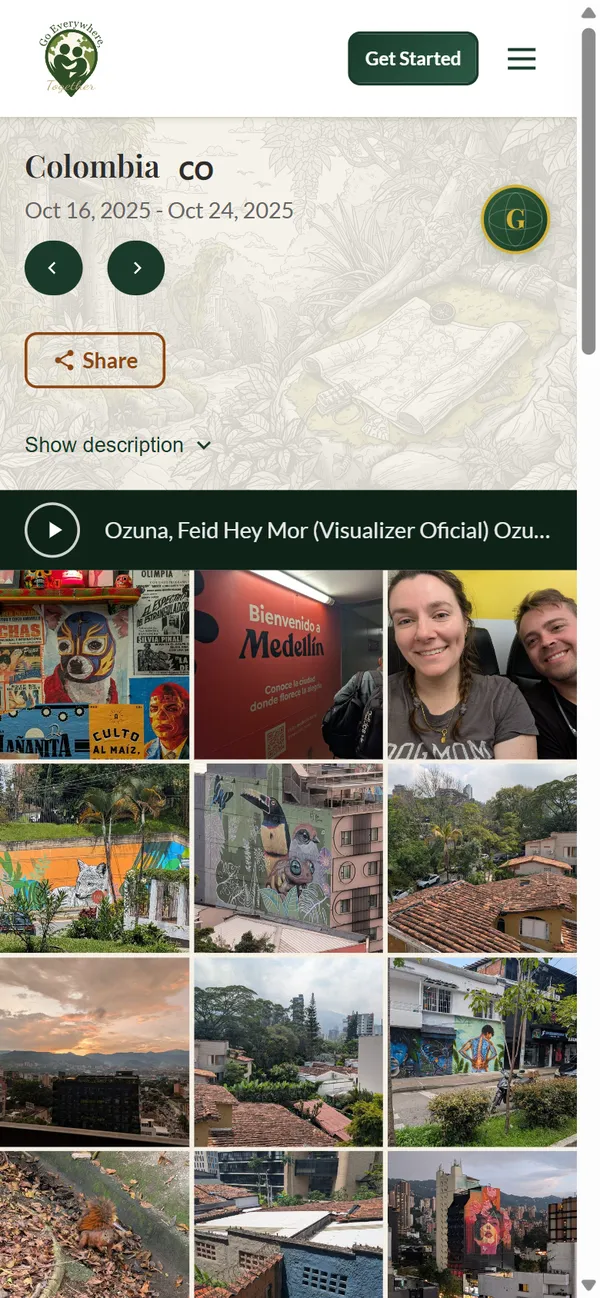
A Touch-to-Travel pin on the wall map can open that page when someone taps it with a phone. No app, no battery in the pin. When a guest asks about the pin in Colombia, they tap it and see the trip for themselves.
Writing trip pages on our map is free, and the pins don't need a subscription. The photo galleries, the music and 2.5 GB of storage are part of the Globetrotter Club, $119/yr or $12.99/mo with a 60-day money-back guarantee. Old trips work too: add one from years ago and its countries are marked on your map automatically.
The 20-minute version, after every trip
- Everyone adds their photos to one shared album the day you get home.
- Delete the misses. Favorite the keepers.
- Name the album "year-month place" and write five lines about the trip.
- Check it's in your backup.
- Share it one way: a print, a book page, a family album or a trip page.
That's it. Do it once and the next trip takes half the time, because the habit is already there.